
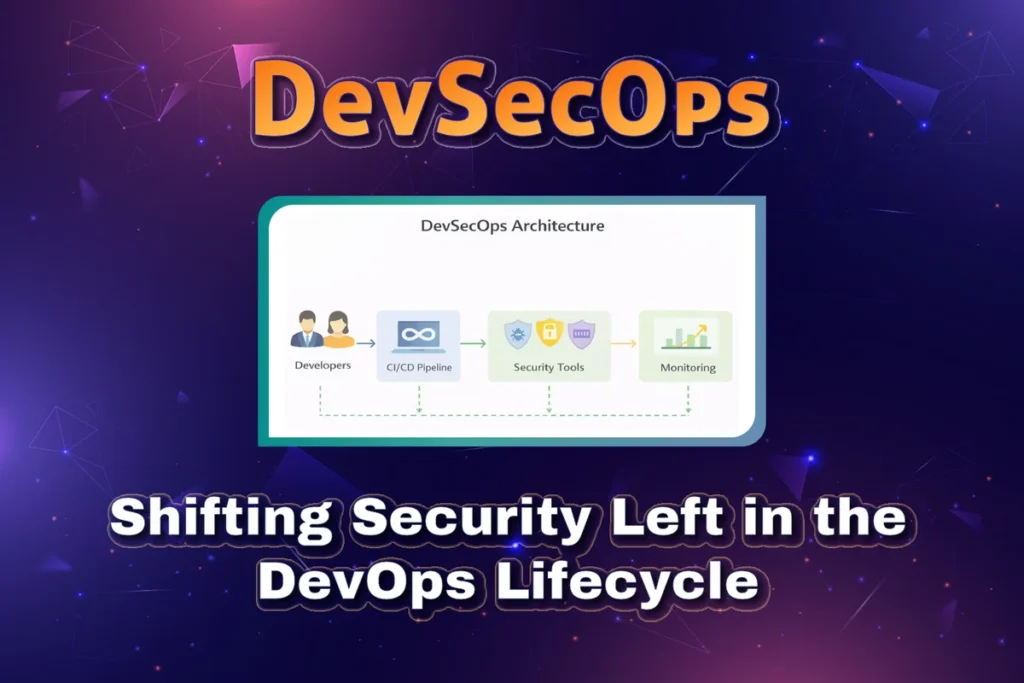
As organisations move faster with DevOps practices, traditional security approaches often fail to keep up. Security teams used to operate at the end of the software delivery lifecycle, performing audits and penetration tests just before release. This approach creates bottlenecks, delays releases, and increases the cost of fixing vulnerabilities.
DevSecOps changes this mindset by integrating security from the very beginning of the development process. The phrase “shifting security left” means introducing security checks earlier in the SDLC rather than treating security as a final gate.
DevSecOps ensures that security becomes a shared responsibility among developers, operations, and security teams. Instead of slowing down delivery, it enables organisations to release software faster, safer, and with greater confidence.
What is DevSecOps?
DevSecOps is an extension of DevOps that embeds security practices into every stage of the CI/CD pipeline. It focuses on automation, continuous security testing, and collaboration between teams.
In DevSecOps:
- Developers write secure code
- Security checks are automated
- Vulnerabilities are detected early
- Security policies are enforced continuously
- Compliance is built into pipelines
DevSecOps is not a tool or a single process. It is a culture, practice, and mindset that treats security as a core component of software delivery.

Why Shifting Security Left Matters
1. Cost of Fixing Vulnerabilities
Fixing a vulnerability in production can cost 10 times to 100 times more than fixing it during development. Early detection drastically reduces remediation costs.
2. Faster Releases
Late-stage security testing delays deployments. Shifting security left enables faster, more predictable releases.
3. Reduced Risk
Security issues discovered in production can lead to breaches, data leaks, and compliance violations.
4. Improved Developer Awareness
Developers learn secure coding practices through immediate feedback.
5. Better Compliance
Continuous security checks help meet regulatory requirements such as GDPR, PCI-DSS, HIPAA, and ISO standards.
Traditional Security vs DevSecOps
Traditional Model
- The security team works in isolation
- Manual security testing
- Security review happens at the end
- Delays releases
- Reactive vulnerability management
DevSecOps Model
- Security embedded into CI/CD
- Automated security testing
- Continuous monitoring
- Faster remediation
- Proactive risk management
Core Principles of DevSecOps
1. Shift Left
Security testing begins during design and development, not after deployment.
2. Automation First
Manual security checks do not scale. DevSecOps relies heavily on automation.
3. Shared Responsibility
Security is everyone’s job, not just the security team’s responsibility.
4. Continuous Feedback
Developers receive immediate feedback on vulnerabilities.
5. Secure by Design
Security considerations are included in architecture and design decisions.
DevSecOps Lifecycle
DevSecOps integrates security into every phase of the SDLC:
- Plan
- Code
- Build
- Test
- Release
- Deploy
- Monitor
Each stage includes specific security controls and tools.

Security in Each DevSecOps Stage
1. Plan Phase
- Threat modelling
- Security requirements definition
- Compliance planning
- Risk assessment
Tools:
- Threat Dragon
- OWASP Threat Modelling
- Jira with security checklists
2. Code Phase
- Secure coding standards
- Static Application Security Testing (SAST)
- Secrets detection
- Code reviews
Tools:
- SonarQube
- Checkmarx
- Snyk Code
- GitHub Advanced Security
3. Build Phase
- Dependency vulnerability scanning
- Software Composition Analysis (SCA)
- License compliance checks
Tools:
- Snyk
- OWASP Dependency-Check
- Black Duck
- Nexus IQ
4. Test Phase
- Dynamic Application Security Testing (DAST)
- API security testing
- Container image scanning
Tools:
- OWASP ZAP
- Burp Suite
- Trivy
- Clair
5. Release Phase
- Security gates
- Policy enforcement
- Risk scoring
- Approval workflows
Tools:
- Jenkins security plugins
- GitLab security policies
- Azure DevOps approvals
6. Deploy Phase
- Infrastructure as Code (IaC) scanning
- Cloud security posture management
- Runtime security
Tools:
- Terraform Sentinel
- Checkov
- AWS Inspector
- Prisma Cloud
7. Monitor Phase
- Runtime monitoring
- Log analysis
- Threat detection
- Incident response
Tools:
- Prometheus
- Grafana
- ELK Stack
- Falco
- SIEM tools
Key DevSecOps Tools Ecosystem
Code Security
- SonarQube
- Snyk Code
- Checkmarx
Dependency Security
- Snyk
- OWASP Dependency-Check
- Nexus IQ
Container Security
- Trivy
- Aqua Security
- Clair
Cloud Security
- AWS Security Hub
- Azure Defender
- GCP Security Command Centre
Monitoring & SIEM
- ELK Stack
- Splunk
- Datadog
- Prometheus + Grafana

CI/CD Pipeline with DevSecOps
A modern DevSecOps CI/CD pipeline includes:
- Code commit triggers pipeline
- SAST runs during build
- Dependency scan checks vulnerabilities
- Container image scan
- DAST tests in staging
- Policy enforcement before deployment
- Runtime monitoring after deployment
Security failures can:
- Fail the pipeline
- Trigger alerts
- Create Jira tickets automatically

Benefits of DevSecOps
- Faster and safer releases
- Reduced security risks
- Improved compliance
- Higher developer productivity
- Better collaboration
- Lower cost of remediation
Challenges in DevSecOps Adoption
- Cultural resistance
- Lack of security skills among developers
- Tool overload
- False positives
- Pipeline performance issues
DevSecOps Best Practices
- Start small and scale gradually
- Automate security checks
- Use security-as-code
- Educate developers
- Reduce false positives
- Integrate security into CI/CD
- Monitor continuously
- Enforce policies automatically
Real-World Use Case
A fintech company adopting DevSecOps:
- Integrated SAST into GitHub Actions
- Added container scanning with Trivy
- Enforced IaC policies with Checkov
- Used Prometheus and ELK for monitoring
Result:
- 60% reduction in vulnerabilities
- Faster release cycles
- Improved compliance audits
Future of DevSecOps
- AI-driven vulnerability detection
- Automated remediation
- Policy-as-code evolution
- Zero Trust security models
- Security observability
Key Takeaways
- DevSecOps integrates security throughout the SDLC
- Shifting security left reduces risk and cost
- Automation is the foundation of DevSecOps
- Security is a shared responsibility
- Continuous monitoring is essential
Frequently Asked Questions (FAQ)
1. What does “shift security left” mean?
It means integrating security early in the software development lifecycle instead of applying it at the end.
2. Is DevSecOps different from DevOps?
Yes. DevSecOps extends DevOps by integrating security into every phase of the software development pipeline.
3. Does DevSecOps slow down development?
No. When implemented correctly, it speeds up development by catching issues early.
4. Can DevSecOps be automated?
Yes. Automation is a core principle of DevSecOps.
5. What tools are commonly used in DevSecOps?
SonarQube, Snyk, Trivy, OWASP ZAP, Checkov, ELK Stack, and cloud-native security tools.
6. Is DevSecOps only for large organisations?
No. Small and medium teams can also benefit greatly from DevSecOps.
7. How does DevSecOps improve compliance?
By continuously enforcing security policies and generating audit-ready reports.
8. What skills are required for DevSecOps? Secure coding, CI/CD pipelines, cloud security, container security, and automation.